- Install the Add-On: Add the asinzen Insight add-on to your Google Sheet. Guide to Installing the Asinzen Insight Add-on for Google Sheets.
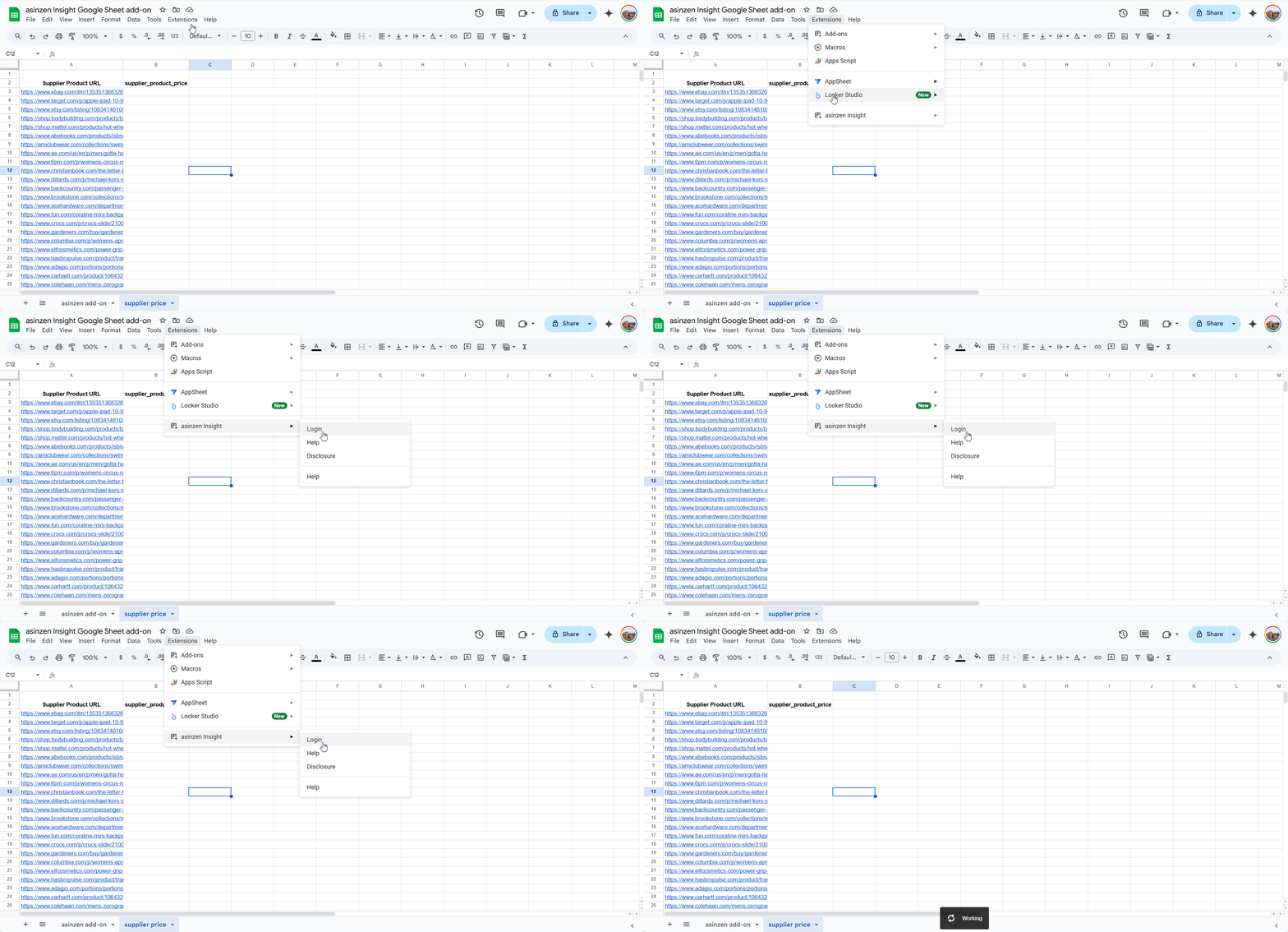
- Access the Add-On: Go to the Extensions menu, search for asinzen Insight, click on it, then click on Login.
- Log In: Use your account credentials to log in.
- MFA: Enter your 2FA Verification code
- Start Using the Add-On: Once logged in, you can start using the add-on functions by clicking Extensions, then asinzen Insight, and Function Builder
Was this article helpful?
That’s Great!
Thank you for your feedback
Sorry! We couldn't be helpful
Thank you for your feedback
Feedback sent
We appreciate your effort and will try to fix the article